
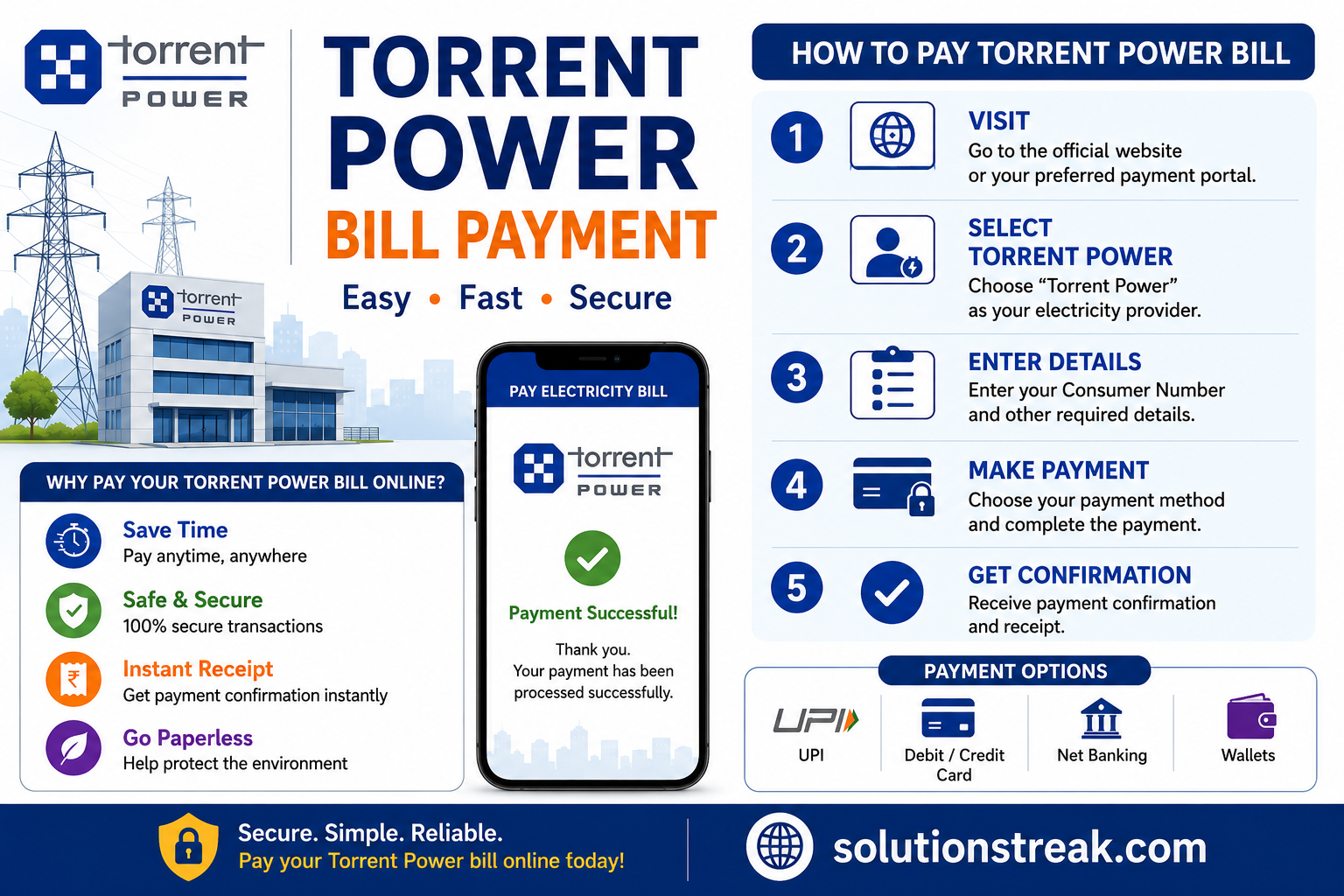
Torrent Power Bill Payment: Guide to pay Bill Online and Offline
The payment of your electricity bills on time is essential to avoid late charges and to ensure an uninterrupted supply of power. If you’re a customer with Torrent Power, you have numerous options for paying your bill online as well as offline.
Torrent Power Limited is one of India’s top private electricity distribution firms, serving cities such as Ahmedabad, Surat, Bhiwandi, Agra, and more. This guide will let you know everything you need to know about Torrent Power Bill Payment in a straightforward and practical manner.
What is Torrent Power Bill?
The amount you pay for electricity is calculated every month, according to your usage of electricity. It comprises:
- Consumption units (kWh)
- Rate of tariff
- Fixed costs
- Duty and taxes
- Total amount due
- Due date
It is essential to pay your bill by the due date in order to be protected from penalties and interruption to service.
Details Required for Torrent Bill Payment
Before you pay, make sure to have these details in mind:
- Service Number / Account Number
- Registered Mobile Number
- Billing Amount
- Preferred Payment Method (UPI card, debit net banking, card)
You will find the service number on your prior bill.
How to Check Torrent Power Bill
Prior to paying, you may be tempted to verify the amount of your bill.
Official Website
Check out the official web site for Torrent Power Limited:
- Go to “View Bill” or “Quick Pay”
- Enter your Service Number.
- Download or view your bill
Mobile Apps
You can also view your account using popular apps:
- Google Pay
- PhonePe
- Paytm
Steps:
- Open app – Bill Payments – Electricity
- Select Torrent Power
- Enter Service Number
Torrent Bill Payment Online – Easy Methods
Nowadays, torrent bill payment online is the most popular method due to its speed and easy.
Payment via Official Website
Steps:
- Visit the official website to learn more about Torrent Power Limited
- Click on “Pay Bill”
- Enter your Service Number.
- Verify bill details
- Choose a payment method (UPI or Card/Net Banking)
- Payment in full
You will receive an instant confirmation by email or SMS.
Payment via UPI Apps
UPI is extensively utilized in India to pay for fast transactions.
Applications supported:
- Google Pay
- PhonePe
- Paytm
Steps:
- Open your app
- Go to “Bill Payments”
- Select “Electricity”
- Choose Torrent Power
- Enter Service Number
- Confirm the amount
- Pay with UPI
Payment via Debit/Credit Card
You are able to use:
- Visa
- MasterCard
- RuPay
Steps:
- Enter card details
- Complete OTP verification
- Instant payment processing
Payment via Net Banking
Steps:
- Select Net Banking
- Select your bank
- Securely log in
- Confirm payment
Payment via Bharat Bill Payment System (BBPS)
BBPS is a platform that is supported by the government:
- Secure and reliable
- Instant confirmation
- Available through banks and apps
Offline Methods for Torrent Bill Payment
If you’d prefer to use alternative methods that don’t require a computer, then here’s some alternatives:
Customer Care Centres
Find the closest branch for Torrent Power Limited:
- Take your bill with you.
- Pay by cash either by cheque or cash
- Receipt receipts
Authorized Payment Centres
- Centres for utility payment
- Local collection points
Always keep a receipt following the payment.
Bank Payment
Certain banks will accept payment for electric bills:
- Fill challan form
- Submit payment
- Get stamped receipt
Common Problems & Solutions
Here are some of the issues that users might encounter during payments for bills on the internet via torrent:
Payment Failed but Amount Deducted
- Do not wait more than 24 hours.
- If you are not up-to-date, please contact customer support
- Keep the transaction ID
Wrong Service Number
- Double-check before payment
- Refer to the bill from your previous purchase for reference.
Bill Not Showing
- You must wait until the bill is generated
- Try it again later
Payment Not Updated
- Refresh portal
- Keep receipts to prove your identity.
Tips for Smooth Torrent Bill Payment
- Always pay before due date
- Keep your Service Number
- Set up bill reminders
- Only use trusted apps
- Keep payment proof
Benefits of Torrent Bill Payment Online
Making the decision to the option of paying your bill online via torrent offers many benefits:
- It saves time and energy.
- There is no need to visit the office
- Available 24/7
- Instant confirmation
- Secure transactions
Safety Tips for Online Payments
- Never divulge OTP or PIN with anyone.
- Make sure you have a an internet connection that is secure
- Beware of Wi-Fi in public areas.
- Verify the official website
- Only use trusted apps
Customer Support
If you have any issues You can reach:
- Customer care at Torrent Power Limited
- Email support
- The closest service center
They will help you with payment and billing problems.
Conclusion
Torrent Power Bill Payment is now extremely simple because of the many alternatives both offline and online. If you decide to make the option of paying your bill online on the official site and UPI applications such as Google Pay, PhonePe, and Paytm or prefer going to a pay-centre that accepts credit cards, the process is straightforward and easy to use.
Always make sure that your payment is timely and keep your service number secure, and observe safe practices when making online transactions.
You may also like



Leave a Reply